
This feature gives administrators the ability to set up system-generated alerts, ensuring that internal teams stay informed without being overwhelmed by irrelevant data.
Summary
-
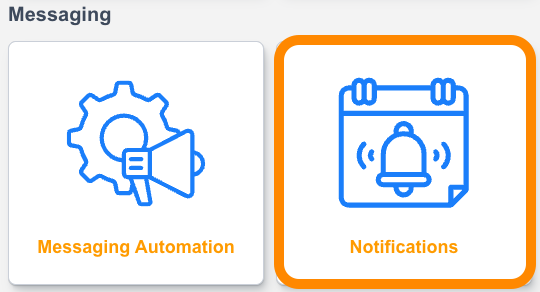
Centralized Notification Hub: A new dedicated "Notifications" section (located near Messaging Automations) allows you to view and manage all site-level alerts in one place.
-
Customizable Recipients: You can select specific account emails to receive notifications for different event types. (You can manage the recipients through the Account Emails settings)
-
Active/Inactive Toggling: Easily enable or disable specific notifications using an "Active" toggle or the lightning bolt icon. [

-
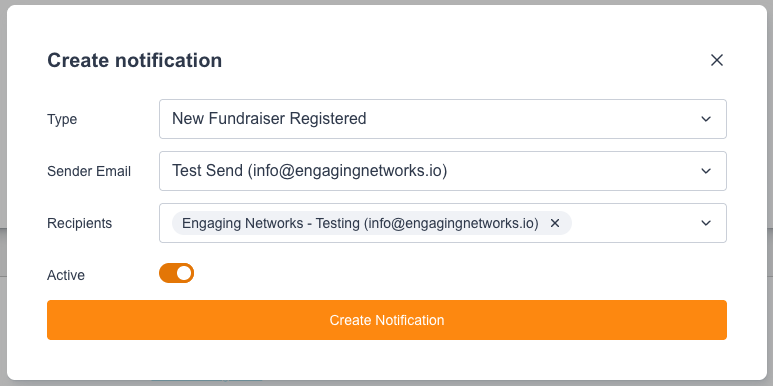
Current available notifications: New fundraiser registered, New team registered, New family team registered.
Coming soon: Notifications for goal-based milestones.
-
You can only create one Notification Type at a time per Site. If the Type already exist as a Notification there is currently no way to add another similar Notification Type.
-
You can add multiple Recipients for the Notification simply by selecting them on the Recipient list.
Currently the Notification Message is a fixed message. No way to edit or manage the message within the Notification.
Example Message:
New Team Registered Notification
Subject Line: [Site Name] - New Team Registered: [Team Name]

A new team has been created on [Site Name].

Team Name: [Name]
Team Goal: [$XXXX.XX]
Registered [Date & Time of Registration]
View Team: [Clickable Team Page URL]

Team Captain (Fundraiser):
Name: [Fundraiser Name]
Email: [Fundraiser Email Address]
Participation Type: [Name of Participation Type]
Fundraiser Goal: [$XXXX.XX]
View Fundraiser: [Clickable Fundraiser's Page URL]
New Fundraiser Registered Notification
Subject Line: [Fundraiser First Name and Last Name] - New Fundraiser Registered

A new fundraiser has registered!

Fundraiser: [Fundraiser First Name and Last Name] [(email address of Fundraiser)]
Participant Type: [Name of Participation Type]
Goal: [$XXXX.XX]
Registered [Date & Time of Registration]
History: [New/Existing Supporter]

Team: [Team Name]
Organization: [Organization Name if any]

View Fundraiser: [Clickable Fundraiser's Page URL]