
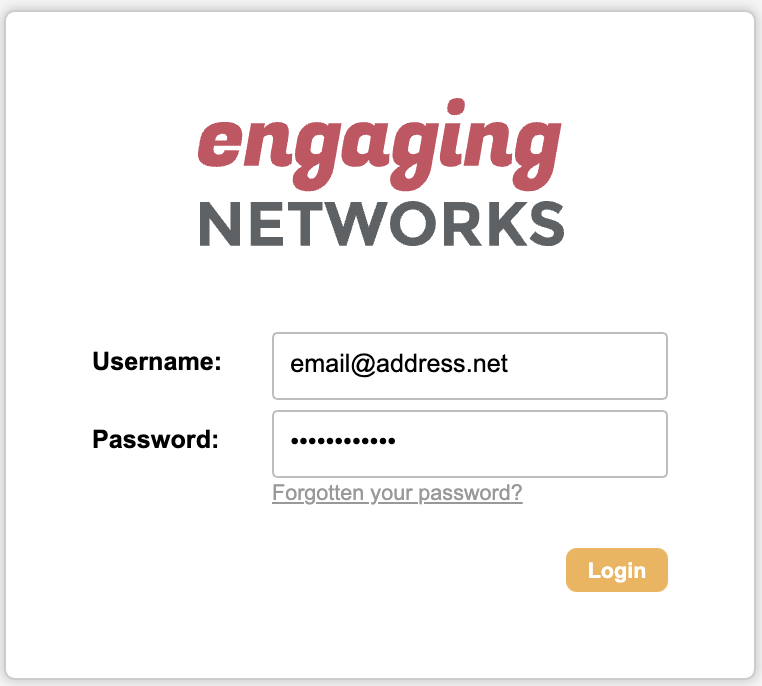
Logging into your account
1. Go to the URL for the relevant data center:
|
Data Center |
Log in address |
|---|---|
|
Canada |
|
|
US |
|
|
US2 |
-
Enter your:
-
Username (your email)
-
Password
-
Please be aware that your data center may not align with your organization's location. If you are unable to log in to your account, you may be trying to accessing it from the wrong data center.
Creating a new password for a user:
To maintain the security of your account and data, Engaging Networks cannot provide, create or update login details or passwords on behalf of clients.
If you've taken the steps below and are still unable to log in, a Super Admin on your account will need to update your password and securely notify you of the changes.
Hello > Account settings > Users > Expand User > Update password field and save.
Tips for troubleshooting Log In
-
Check you’re using the correct data center.
-
Check that you’re using the correct email address and that there are no trailing spaces.
-
Bookmark the correct data centre that you use.
-
After five incorrect attempts, users will be locked out of their accounts for 30 minutes.
-
If you do not receive your password reset email, check:
-
You’re using the correct data center.
-
Your username/email address.
-
Your spam folder
-
Or speak with your IT department, as the email may be quarantined.
-
-
If you have Two Factor Authentication enabled but have changed phones or reinstalled Google Authenticator, you will need to ask the Super Admin on your account to reset the secret token for your User. That will trigger the new QR code to reestablish the connection.
-
If Users use the same email address across multiple accounts in the same datacenter, they cannot reset their password using the “Forgotten your password?” option on the login screen. A Super Admin will need to reset the passwords for the applicable accounts and securely share them.
User Preferences
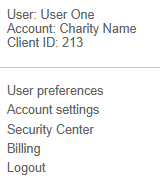
Your user preferences are accessed via Hello > User Preferences. Once here, you can update the following:
Preferences
|
First name |
Update your first name |
|---|---|
|
Last name |
Update your last name |
|
Display name |
Update your display name, the name shown to you and other users. |
Notifications
Add your mobile phone for spam/fraud notifications and select the notification email and SMS alert types you wish to receive:
|
General |
Generated upon completion of a broadcast, data import or export job, or bulk API import or export. |
|---|---|
|
Supporter note follow-up |
Sent when notes are created using the supporter notes gadget. |
|
Spam/Fraud |
Notifications are sent when a donation page receives five or more rejected transactions within a 15-minute window from a single IP address, OR 30 or more rejected transactions within two hours. |
|
Integrations |
Notifications relating to data integrations with third-party CRM systems and for our Salesforce integration when Contact sync issues occur. |
Update password
You can update your password in this section by entering the same new password twice: ‘new password’ > ‘confirm new password’ > 
All passwords must:
-
Be 12 characters or longer
-
Contain at least one capital letter
-
Contain at least one number
-
Contain at least one special character from .!"#$%&()*+,:;<>@[]^{}|~
-
Avoid predictable sequences and words
-
Avoid user name, user email or organisation name
Passwords expire every 6 months