

Minimum Commitment gives you the ability to see a list of Fundraisers that have a Goal Amount with a set minimum amount but haven’t met the goal. It will allow you to manage those goals to charge the Fundraiser with the remainder balance of their goal using the payment method they used to make their transaction.
What is needed
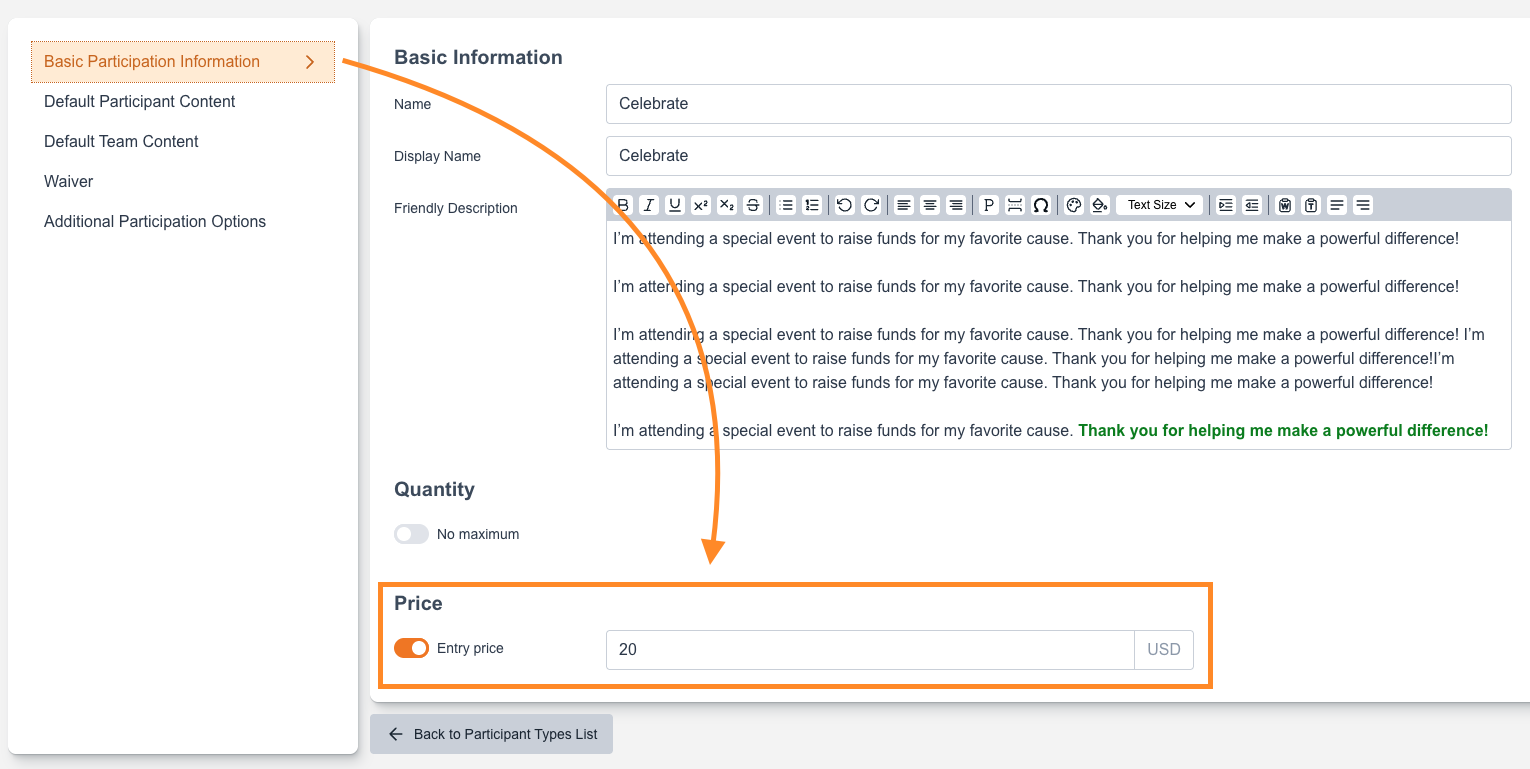
In Participant Types a Fee must be turned added under Basic Participation Information.
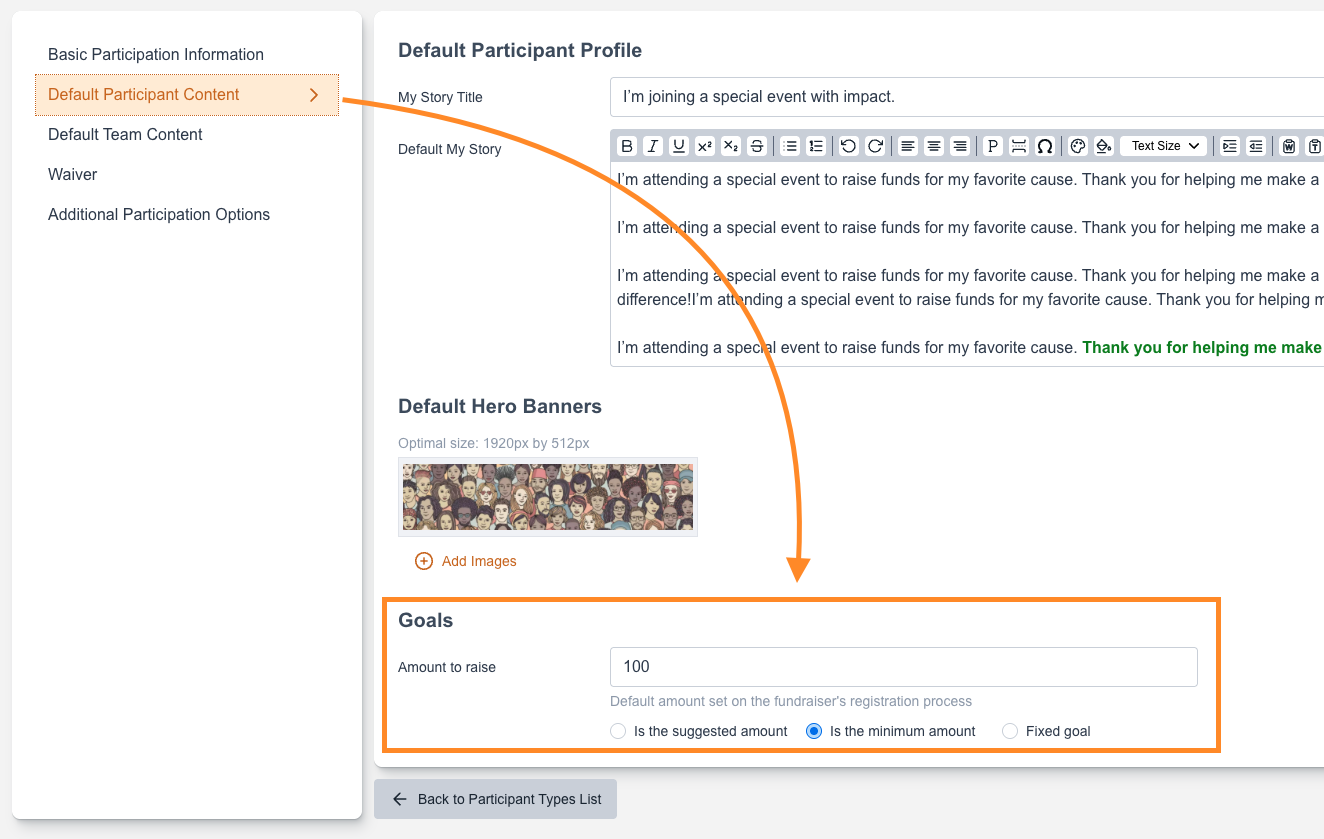
From there Navigate to Default Participant Content to set a default Goal and select “Is the minimum amount”.
Going back to the Site Blocks you will now see the Minimum Commitment Block available for your Site to be navigated on

Inside the Minimum Commitments
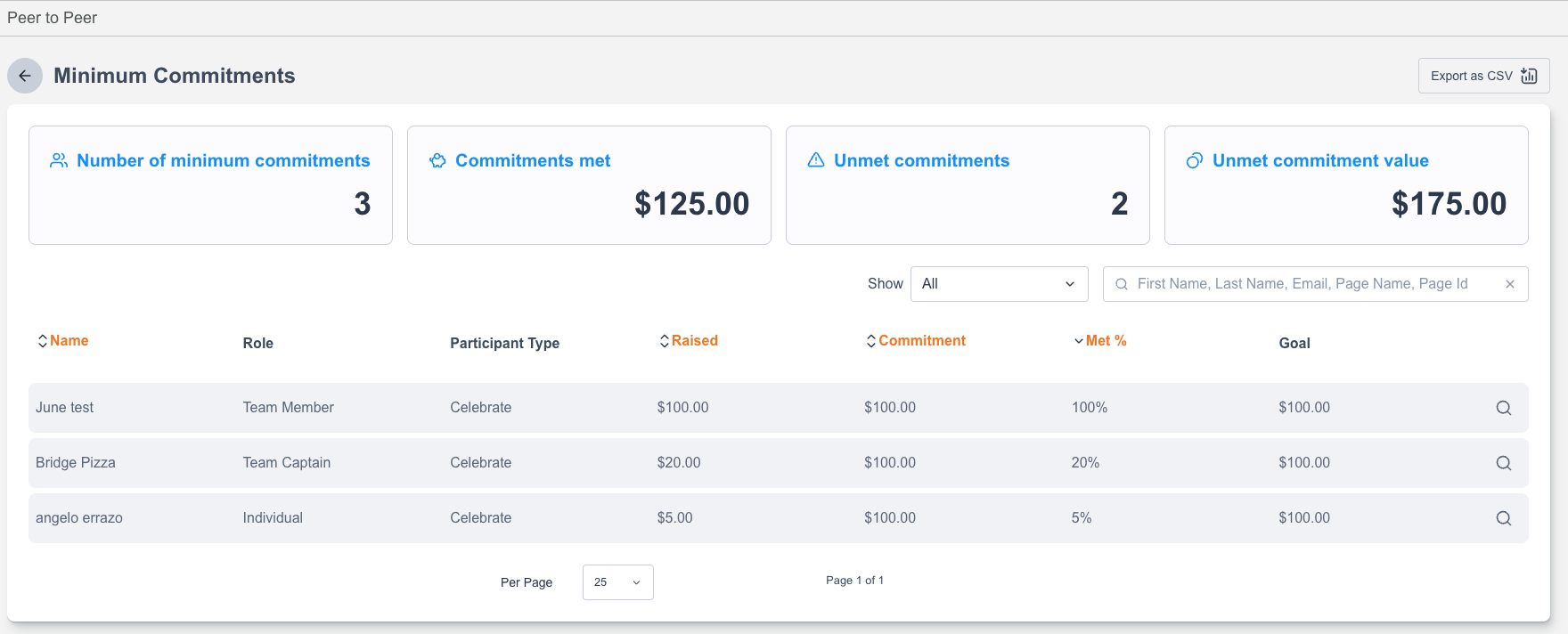
Here you can see a list of all Fundraisers that had minimum commitments on their Fundraising Page. It tells you number of commitments, commitments met, unmet commitments and the value.
Navigating in a fundraiser using the magnifying glass gives you details about their Fundraising Commitments and other Data about the Fundraiser:

On the Commitments Tab, this is where you are able to see the different participation details and amounts metrics and charge the Card for the Balance:
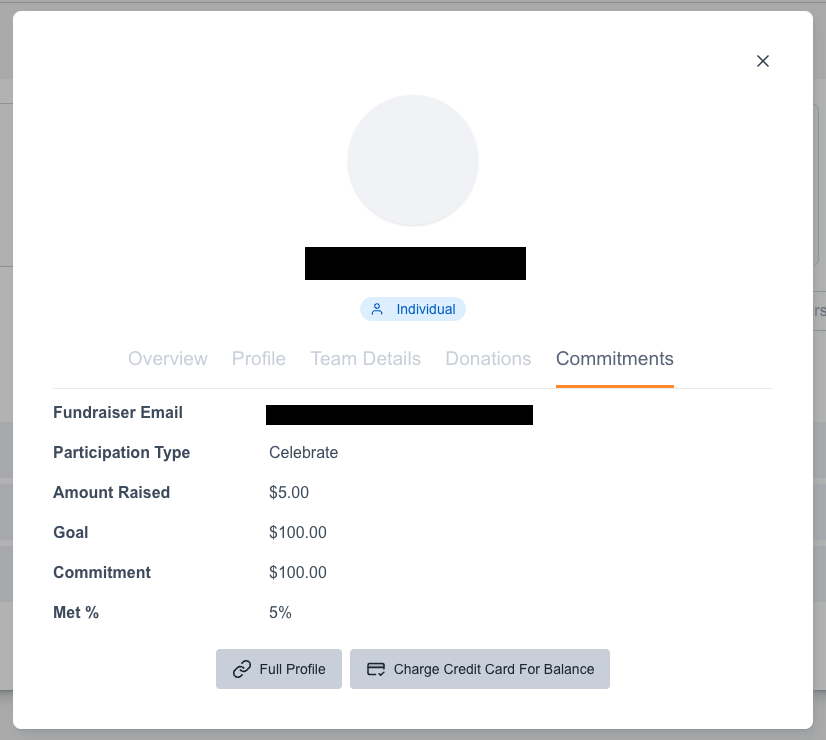
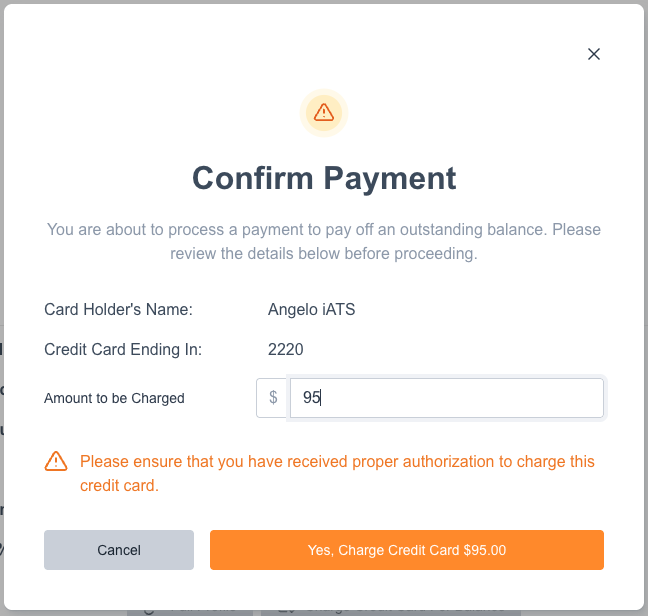
The charge will be from the last payment information the Fundraiser used.
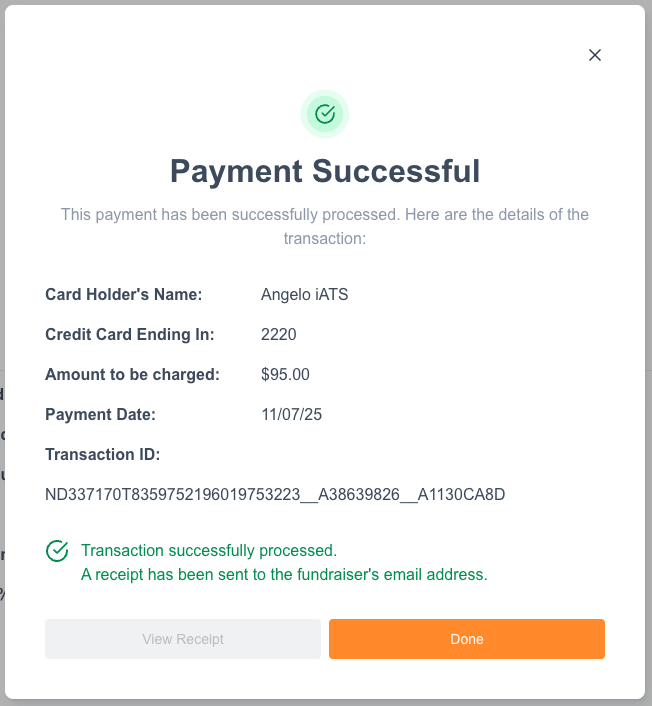
Once payment is confirmed you will shown a confirmation message regarding the charge:
An exportable CSV file is available as well to download within the Minimum Commitment Block with the given headers
Site ID
|
Page ID
|
Page Name
|
Participant ID
|
Currency
|
Goal Amount
|
Raised Amount
|
Goal Met
|
Goal Amount Option
|
First Name
|
Last Name
|
Email Address
|
|---|
The completed Minimum Commitment Transaction will also be reflected on the Supporter’s Record as a PACS Transaction