
This is where Fundraisers land when they click to make a Donation from the Site. The concept of the Donation Form is similar to our Regular Donation Page Builder.
Create your page
To create a new campaign, you can either duplicate or create a new one from scratch.
To create a brand new page:
-
click Site Pages
-
then select Configure Page Icon

-
then select if you want to use an existing Donation Page on your Account or click on ‘I would like to duplicate an existing donation page’ to make a copy and edit that instead for your use for this Peer to Peer Site.
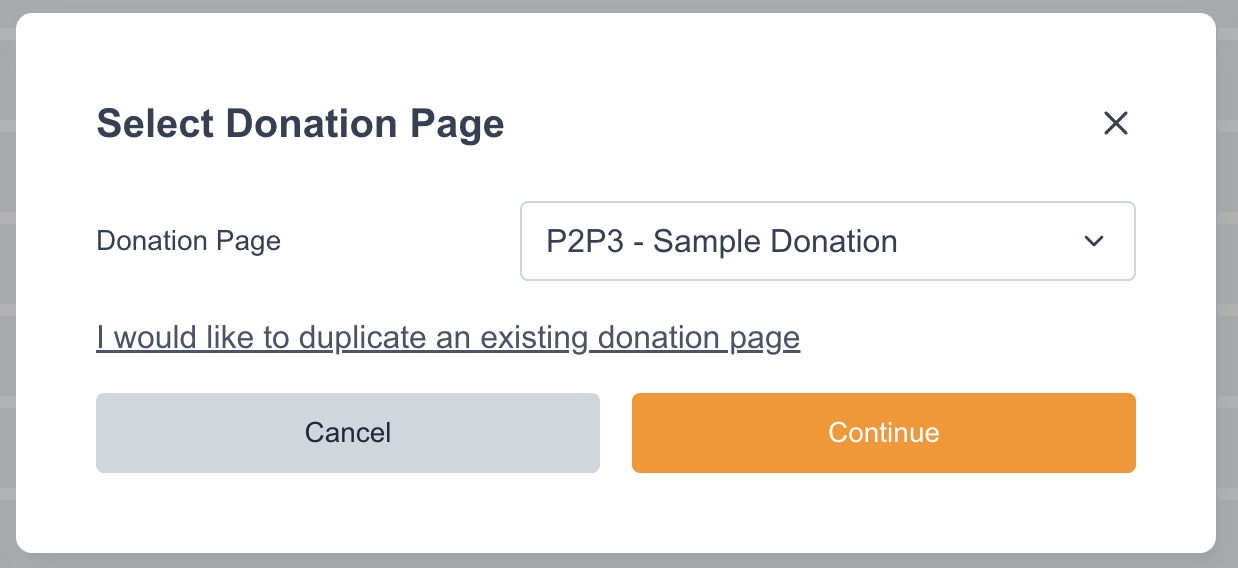
Once selected, simply press continue to save it. From there you can now click on the pencil icon to manage the Donation Page.
This will give you the window of the Regular Donation Page where you can manage the styling, what fields you can add as well as the other bits of making a Fundraising Page.
Other Fields you might want to look into are the following:
-
Anonymous Donation [tagged field] - this can be set in your Account Data Structure where your donors can select if they want to remain anonymous or share their gift information with your site.
-
Additional Comments [stored transactional field] - this can be set in your Account Data Structure where your donors can add more insights or share information about their donation.
Both Anonymous Donation & Additional Comments are required fields to have on the Donation Form for other areas in the Peer-to-Peer to function. Example, anonymous gifting management and offline donation management.
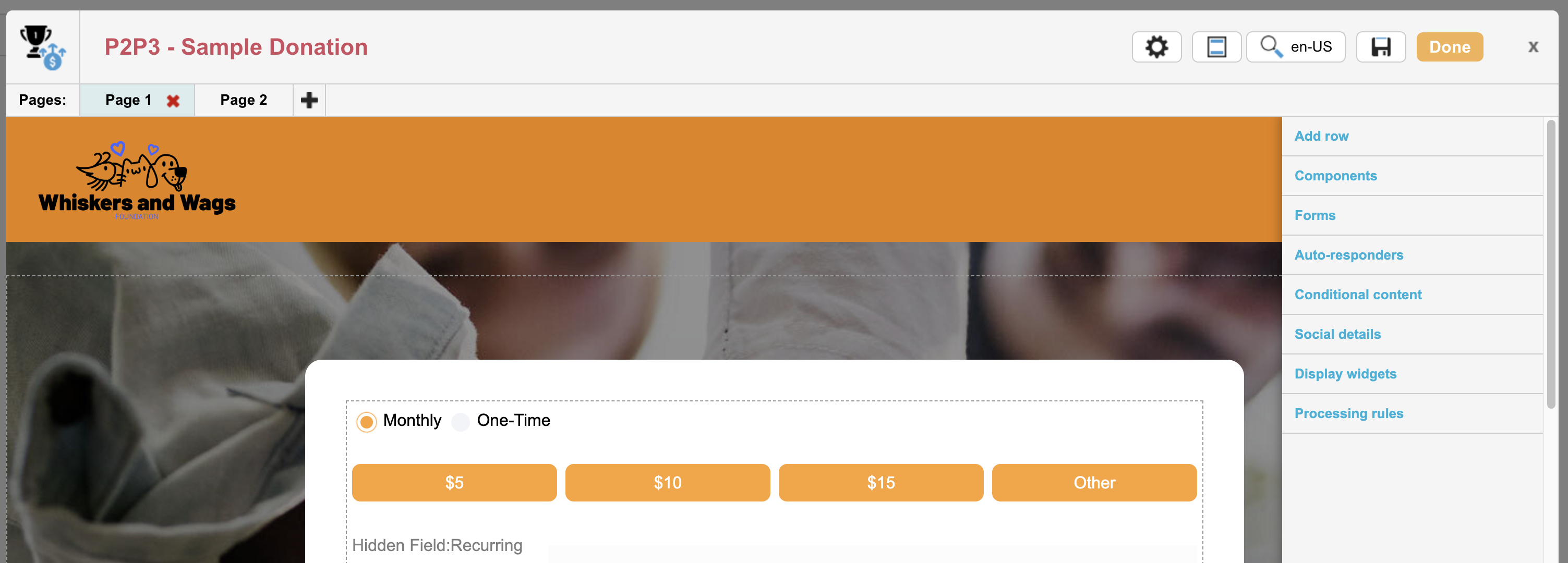
We recommend visiting the Page Admin Settings of the Donation Page so you can manage the name, template, gateway and the STATUS of the Page which should be set to LIVE in order for it to work with your Peer to Peer site from the front-end users.
Fee Cover
Fee Cover lets fundraisers add a calculated amount to their payment to help cover processing fees. On the Peer-to-Peer Donation Page, this ensures the full donation goes to the organization. It’s optional, but many supporters choose to include it when given the chance.
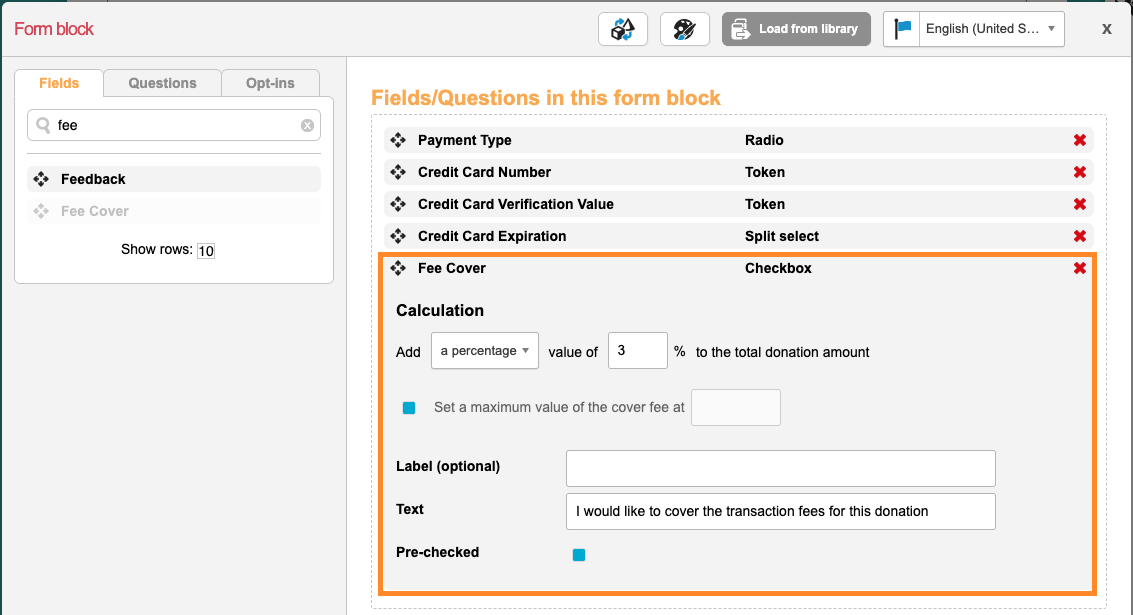
If you’re using Fee Cover, it’s best to add it to the Peer-to-Peer Donation page, where donors can easily choose to help cover processing fees.The donation amount and the fee cover are tracked separately. Under Site Settings > Basic Site Settings, there’s a setting called “Do not include registration fees in fundraising totals” leaving this off means the registration fees will count toward your site’s progress bars, and the fee cover will be included in the overall total as well.

Collect a custom public Donor Display Name directly on your Peer-to-Peer donation pages by adding the Shipping First Name and/or Shipping Last Name tagged fields to your forms. If both fields are submitted, they are automatically concatenated (or used individually if only one is present) and published to public donor rolls.
Autoresponder
You can create Autoresponders/Thank You Emails similar to Page Builder Setup.
A thank-you email is an email message which is sent to a supporter once they have submitted a page, for example doing a checkout for Registration or making a Donation.
This could be a simple thank you message or a confirmation message with Event/DIY tickets attached. Each page type will have its own unique thank you email with transaction information that can be included, for Peer to Peer it has its own set of available merge tags as well. Auto-responders are optional and if you leave the content of an auto-responder blank, one will not sent.
Rich text editor and available inserts
After configuring the subject link, sender and other optional details, you can add the content of your thank you email using a Rich text editor or Advanced HTML editor. There are other tools that can be used to insert a variety of data depending on the page type. You can learn more about them HERE
There is also the ability to insert Peer-to-Peer-specific merge tags into Page Builder autoresponder emails, allowing you to create more relevant and customized messages to your fundraisers or donors after they complete a transaction on your Peer-to-Peer site. These merge tags are available in autoresponders on Peer-to-Peer Checkout and Peer-to-Peer Donation pages and can be inserted using this icon in the blue toolbar.

|
Merge Tag Name |
Merge Tag Value |
|---|---|
|
Participant Type |
${p2p~fundraiserTypeDisplayName} |
|
Registration Fee |
${p2p~fundraiserTypeFee} |
|
Additional Donation |
${p2p~donationAdditionalAmount} |
|
Fundraising Minimum |
${p2p~fundraiserTypeMinimum} |
|
Amount Left To Minimum |
${p2p~pageAmountLeftToMinimum} |
|
Site Name |
${p2p~siteName} |
|
Site Title |
${p2p~siteTitle} |
|
Site Event Name |
${p2p~siteEventName} |
|
Fundraiser First Name |
${p2p~fundraiserFirstName} |
|
Fundraiser Last Name |
${p2p~fundraiserLastName} |
|
Fundraiser Page Name |
${p2p~pageName} |
|
Fundraiser Page Title |
${p2p~pageTitle} |
|
Fundraiser Page Image Url |
${p2p~pageImageUrl} |
|
Fundraiser Page Story Title |
${p2p~pageStoryTitle} |
|
Fundraiser Page page Url. |
${p2p~pageUrl} |