
Blackbaud Integrated Payments (BBIP) is a payment gateway Engaging Networks integrates with to process donations. BBIP supports one time and recurring donations with credit card, ACH, and one time donations with digital wallet payments through Apple Pay, Google Pay, and PayPal/ Venmo.
Setting up BBIP
Currency used for processing donations is set within the Blackbaud profile. Should you wish to offer multiple currencies to your donors, you will need to create separate gateway entries, as well as pages for each currency.
|
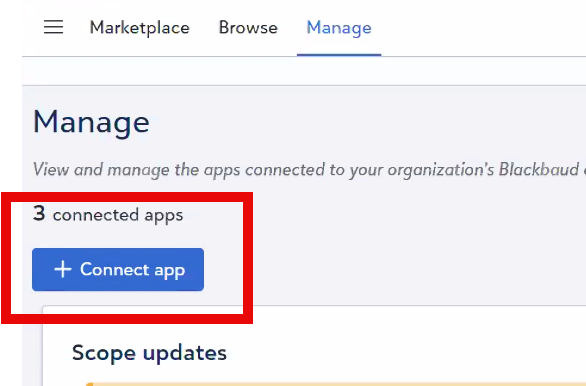
|
|
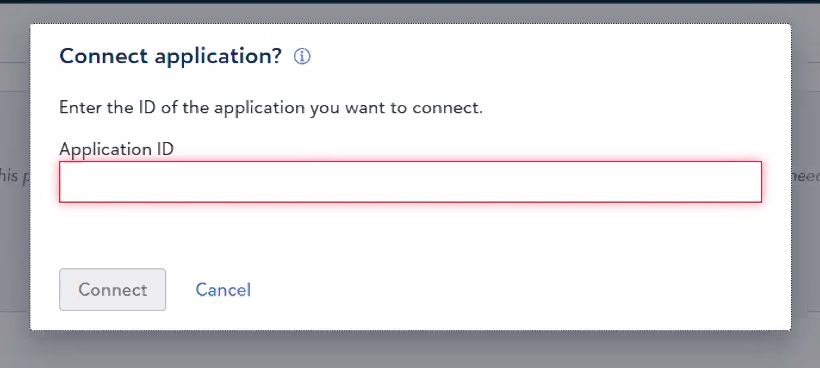
|
|
|
Setting up BBIP in Engaging Networks
Currency used for processing donations is set within the Blackbaud profile. Should you wish to offer multiple currencies to your donors, you will need to create separate gateway entries, as well as pages for each currency.
|
|
||||||
|
|
||||||
There will not be a Test mode checkbox as this is determined based on the profile you select |
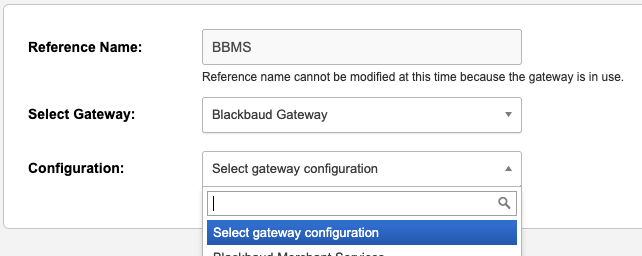
|
||||||
|
|

Basic fields required for all payments
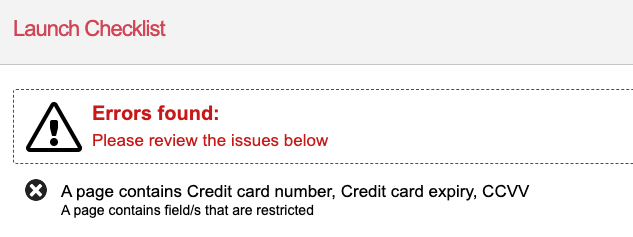
BBIP uses a payment processing modal to capture payment details like Credit Card Number and Bank Account Number so those are not needed on the page. If included on the page, an error like this will show in the Launch Checklist section:
Fields added to the Engaging Networks page will be pre-populated in the payment modal. Supporter fields must be on the same page as the payment modal in order to pre-populate.
|
Form Field |
Recommend form block field type |
Comments |
|---|---|---|
|
Email Address |
Text with Email Validator |
Email address identifying the supporter record |
|
Payment Type |
Select or Radio |
*This is optional if the page only accepts credit card payment types, but is required if other types like ACH are accepted on the same form. Credit cards: card
|
|
Donation Amount |
Text, Radio with Input or Select with Input with Donation Amount validator |
May be entered as a whole number or number with two decimal places. Eg. Twelve dollars may be entered as ’12’ or ‘12.00’. Should not include the currency symbol |
|
First Name |
Text |
The cardholder’s first name. |
|
Last Name |
Text |
The cardholder’s last name. |
|
Address 1 |
Text |
The first address line of the cardholder |
|
City |
Text |
The address city of the cardholder |
|
Country |
Select |
The country of the cardholder. This should be a 2 character ISO 3166-1 country code. |
|
Region |
Text |
The address region of the cardholder. The code should be formatted as ISO 3166-2 subdivision code (without the country element included) for the US and Canada in particular. |
|
ZIP/ postal code |
Text |
The post/postal/zip code of the cardholder |
Unlike some other gateways supported by Engaging Networks, BBIP cannot be used with any additional gateways on the same page. This includes other BBIP gateways as well as gateways like Pay via PayPal.
Additional Fields for Processing Recurring Transactions
|
Form Field |
Recommend form block field type |
Description |
|---|---|---|
|
Recurring Payment |
Radio with Y and N values |
Submitting ‘Y’ will flag the transaction as a recurring payment. Any other value will result in a single payment. |
|
Recurring Frequency |
Hidden field with default value |
Permitted values are MONTHLY, QUARTERLY, SEMI_ANNUAL and ANNUAL. |
|
Recurring Day (optional) |
Hidden field |
The day of the month on which the recurring payment should be taken. (1-29 are allowed) If left blank, subsequent transactions will process on the same day as the initial transaction. |
|
Recurring End Date (optional) |
Triple select with / delimiter |
When this recurring payment should cease. The value must be in the format DD/MM/YYYY |
Testing donation pages
You can use the following information to test pages using BBIP.
ACH/ Direct Debit
Card Holder Name: Any value
Donation Amount: Any value
Routing: 110000000
Account Number: 000123456789
Credit cards
Card Holder Name: Any value
CVV: Any value
Expiration date: Any date in the future
Donation Amount: Any value